Employees & personnel file
One file per person: master data, every event from hiring to departure and all documents, guided by an assistant that backs every field with the CO and the CEA.
In many SMEs the personnel file is a binder in a cupboard, topped up with e-mails, Word files and the memory of management. Anyone who wants to know when someone was promoted, or which salary has applied since when, has to look in three places.
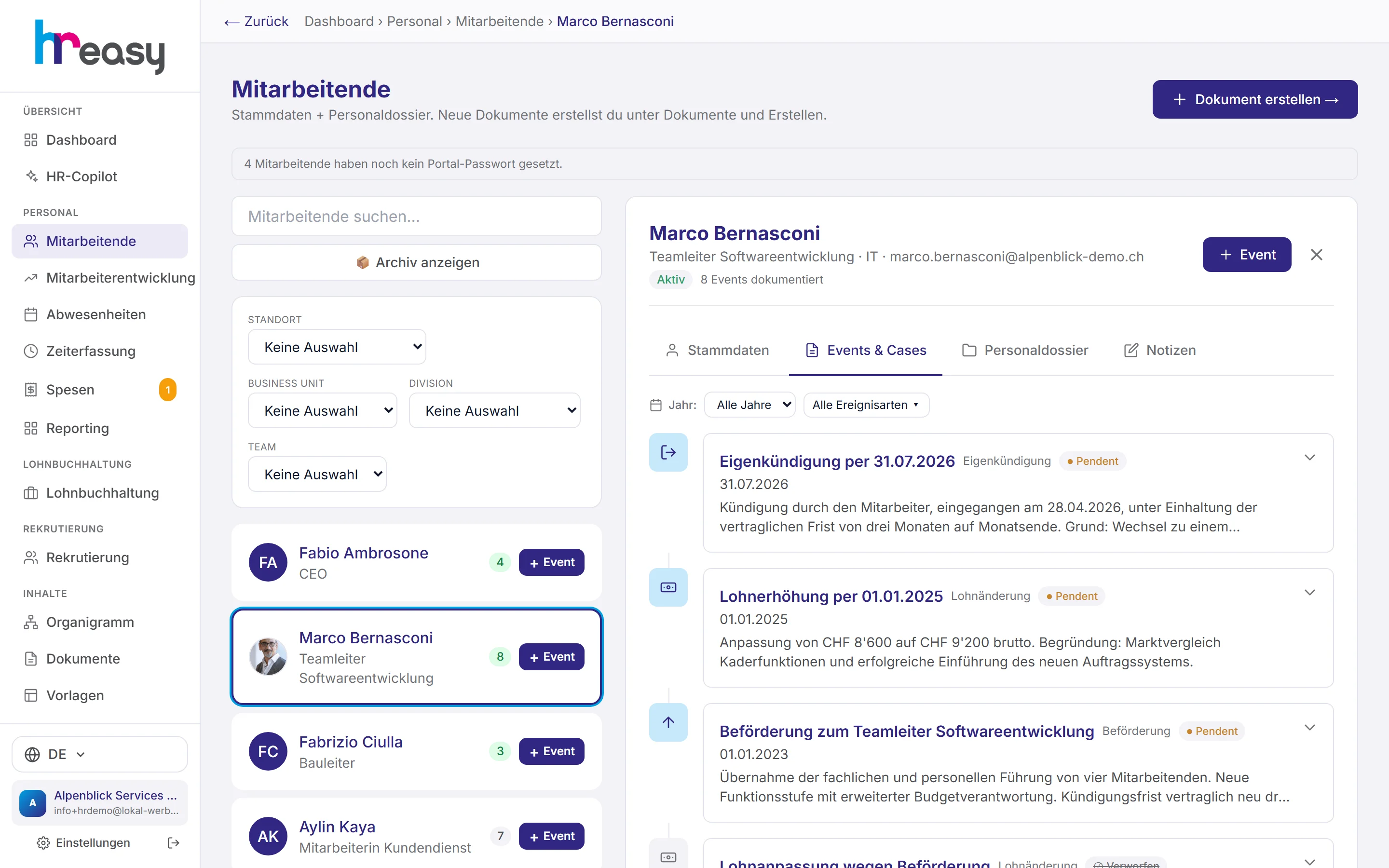
In HREasy every person has a file with four tabs. Everything that happens in the employment relationship is recorded as an event with a step-by-step assistant: hiring, end of probation, promotion, salary change, warning, termination. For every field the AI makes a suggestion with its justification from the CO and the CEA, and warns you if your entry deviates. When an event is completed, HREasy carries position, salary and workload over into the master data, and the resulting letters end up in the personnel file.
Sound familiar?
- The personnel file is scattered across binders, inboxes and drives, and none of it is complete.
- After a salary change nobody is sure whether the master data, the contract and payroll were all updated.
- Every new hire gets a copy of an old contract, complete with outdated probation and notice periods.
- After someone leaves, there is no trail of who decided what and when.
All employees and all actions in one place
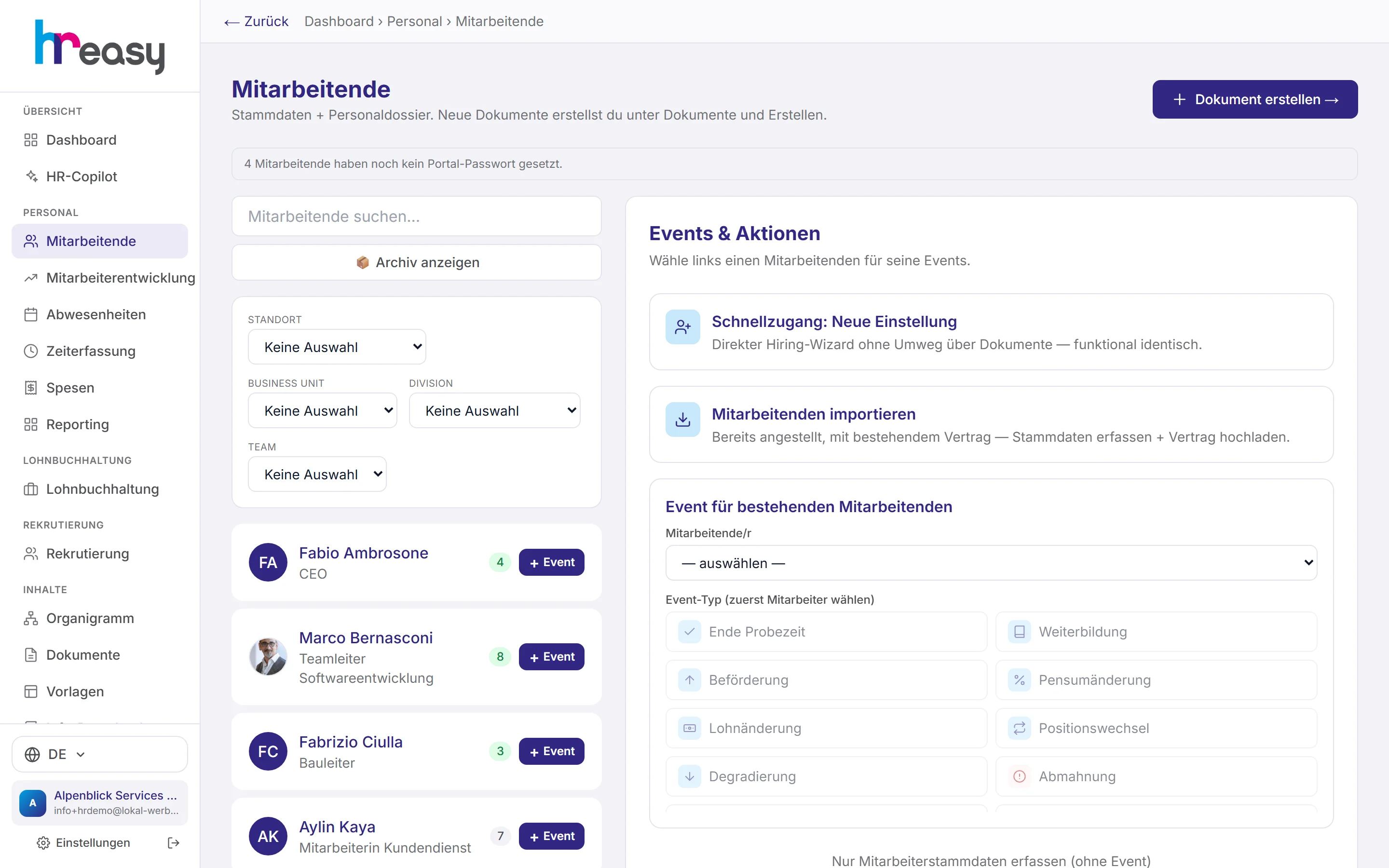
On the left, the list with search and filters by location, business unit, division and team. On the right, the actions: start a new hire, take over someone who is already employed with an existing contract, or record an event for a person.
The number next to each name shows how many events are in the file. One click opens the person.
- Shortcut «Neue Einstellung» (new hire) straight into the assistant
- Upload an existing contract (PDF, Word, photo): the AI reads it and fills in the master data
- Event types as a grid: end of probation, training, promotion, workload, salary, position and more
- Move inactive employees to the archive, their documents go with them
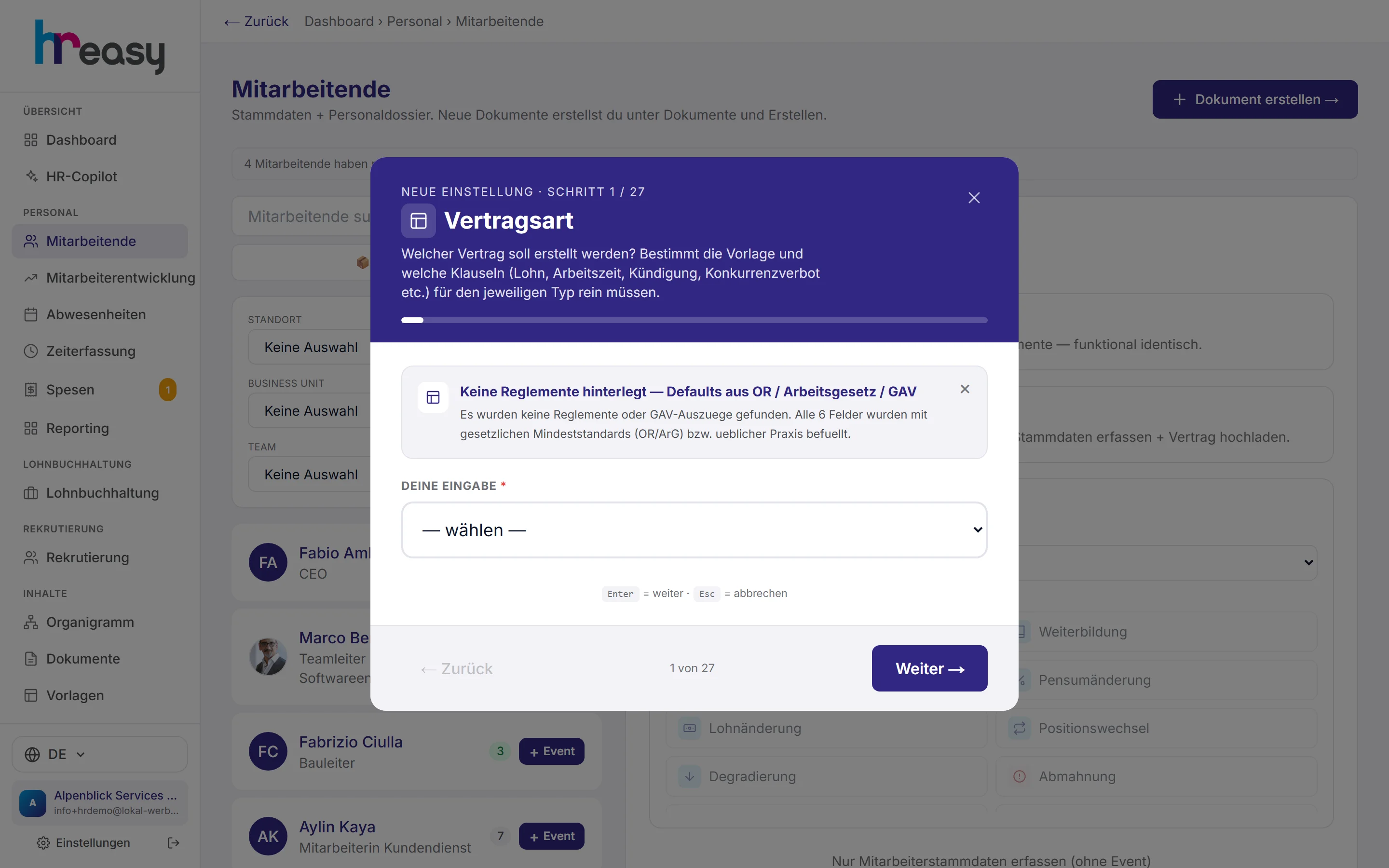
One field per step, each with a suggestion and its legal basis
The hiring assistant asks for contract type, personal details, position, location, CEA, start date, workload, working days, pay type, probation, notice periods and holidays. It fills in the town from the postcode.
For every step the AI proposes a value and cites the article of the CO or the CEA. If you have staff regulations on file, it pre-fills probation, notice periods, holidays and weekly hours from them, and raises any value that falls below the legal minimum.
- Permanent, fixed-term, hourly pay, apprenticeship or internship
- Probation of at most three months (CO Art. 335b), notice periods graded by years of service
- Catalogue of around 97 CEAs for industries and companies
- Age check under Labour Act Art. 29–32; AHV number and phone number are validated
The whole history of the employment relationship, without gaps
Every event sits on the timeline with its date, description, status and attached documents. You filter by year and event type and attach files by drag & drop.
Events are never deleted, only discarded. The discarded entry stays visible so that the file remains complete.
- Status pending, done or discarded
- A promotion automatically creates the linked salary change
- On completion, a termination sets the leaving date and closes the file
- Description editable and exportable to Word
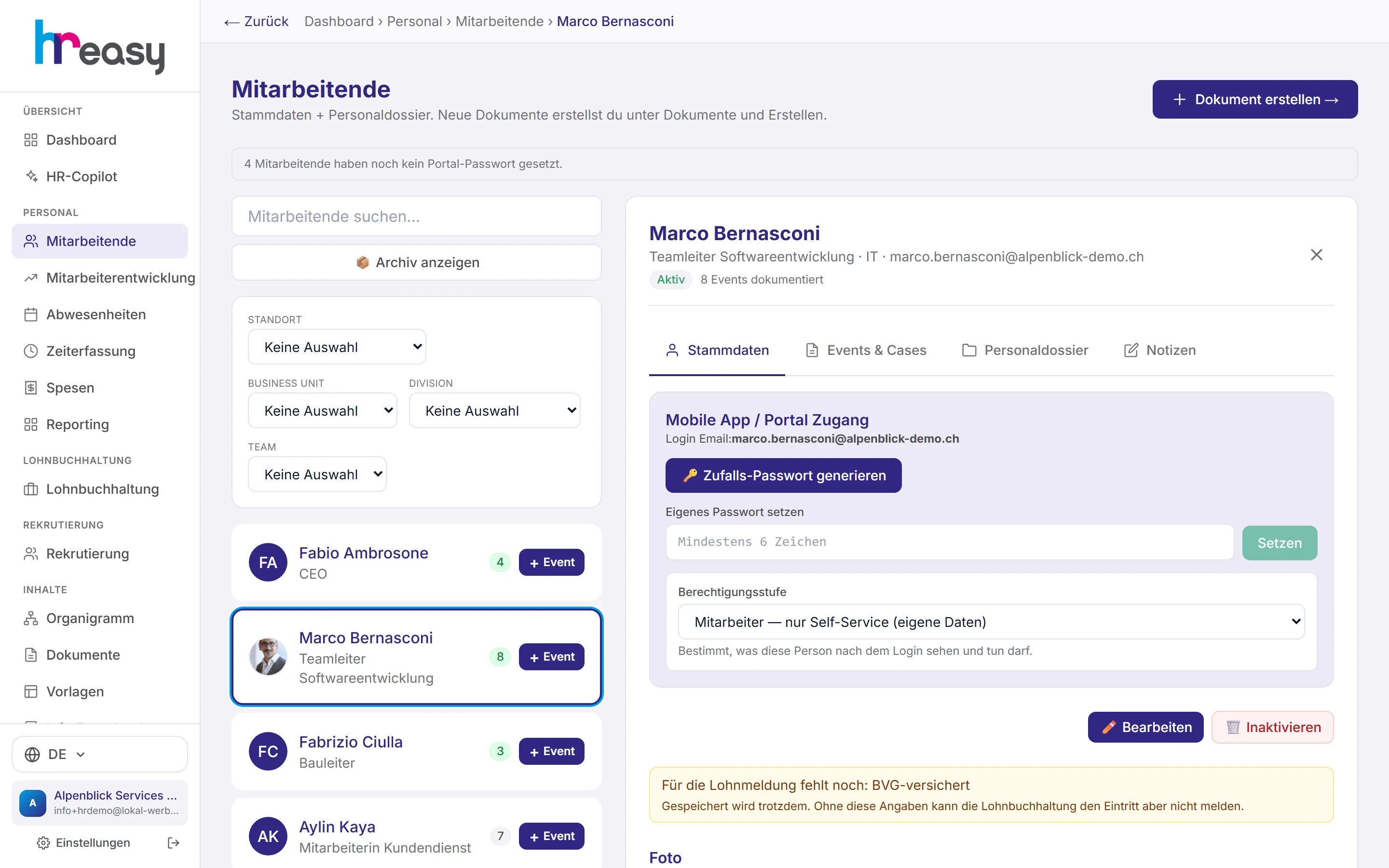
Master data, portal access and permissions in one screen
Personal details with work permit and photo; employment with staff number, location, department, team, cost centre and line manager; plus salary, bank, BVG pension, withholding tax status, partner and children.
In the same tab you set up access to the employee portal and the app and define the permission level.
- Roles: admin, HR manager, HR administrator (without salaries) and employee
- HR roles can be restricted to one location or organisational unit
- Apprentice pay per year of apprenticeship, switched automatically on the due date
- Notice when information is still missing for payroll
From day one to the last day
An event is recorded once and from there affects master data, documents and payroll.
Hire
Go through the assistant and accept or adjust the AI suggestions with their CO and CEA references.
Contract
Have the AI draft the contract, fill in a template, or upload one and have it checked.
Onboarding
Checklist to the line manager, application for family allowances to the SVA if there are children.
Events
Promotion, salary, workload, warning: each with an assistant and an AI letter as a draft.
Completion
Completed events carry over position, salary and workload; a termination closes the file.
Everything works together
No module stands alone. What you enter here flows automatically to wherever it is needed, without entering it twice.
What HREasy offers
AI suggestions per field
For every step a value with its justification and the article from the CO or CEA. If your entry deviates, you get a warning.
Pre-filled from regulations
Uploaded staff regulations pre-fill probation, notice periods, holidays and weekly hours. Values below the minimum are raised.
Import a contract
Already employed? Upload the contract as PDF, Word or photo; the AI reads it and fills in the master data.
AI letter per event
Contract amendment, salary letter, warning or contract adjustment as an editable draft, then as Word with letterhead or by e-mail.
Onboarding checklist
After hiring, a checklist goes to the line manager: daily sickness benefit, accident and pension insurance, SVA, child allowances, infrastructure, IT and badge.
Long-term absences
Maternity, paternity, military or civilian service, or sabbatical, with continued pay under the Bern, Basel or Zurich scale.
Personnel file
All final documents in chronological order, filtered by lifecycle or archive, plus a direct upload for scans and correspondence.
Texts for occasions
Card or e-mail texts for birthdays, anniversaries, births, weddings, recovery or condolences, in three tones.
Nothing gets lost
Events are discarded rather than deleted, and every decryption of sensitive fields is logged.
What you should know
An event changes the master data, not the other way round
If you overwrite a promotion directly in the master record, you lose the history. In HREasy you record the promotion as an event. As soon as it is marked as done, HREasy carries position, salary and workload over into the master data.
That way it remains clear which salary applied from when, and who triggered the change. For a demotion, the data is only carried over if it was recorded as a contract change by mutual agreement.
The AI suggests, you decide
The assistant's suggestions first check the employment contract on file and only fall back on the CO if there is none. Legal statements are tied to an official source; anything that cannot be backed up is not claimed.
Nothing is applied without your confirmation. Letters are always created as drafts that you edit before they are saved as Word or sent.
Frequently asked questions
Can I take over existing employees?
Yes. Use «Mitarbeitenden importieren» (import employee) to upload the existing contract; the AI reads it and fills in the master data, which you then check.
Which events can be recorded?
Hiring, end of probation, training, promotion, change of salary, workload or position, demotion, warning, long-term absence, return, termination by the employer, resignation, reference letter, special occasions and notes.
Can an event be deleted?
No, deliberately not. Events are discarded and remain visible in grey on the timeline so the file stays complete.
Who can see the personnel file?
That is determined by roles: HR administrators, for example, see no salaries and no particularly sensitive data. HR roles can be restricted to one location or unit.
How is the data protected?
Sensitive fields such as the AHV number, IBAN, address or notes, as well as the contents of all events, are encrypted in the database with AES-256-GCM. Every decryption is logged.
More modules
Ready to automate personnel file?
Set up in 5 minutes, no HR knowledge needed. The agent takes care of the rest.
Request trial access now