HR Copilot
Your AI assistant that knows your company data, answers questions on Swiss employment law and gets things done directly in the system, from a contract draft to an absence.
Most HR questions in an SME are not legal opinions but everyday matters: How many days of holiday does Ms Koller have left? Which probation periods end next month? Can I prepare the contract for the new site manager? Until now that meant searching spreadsheets, looking for templates and reading legal texts.
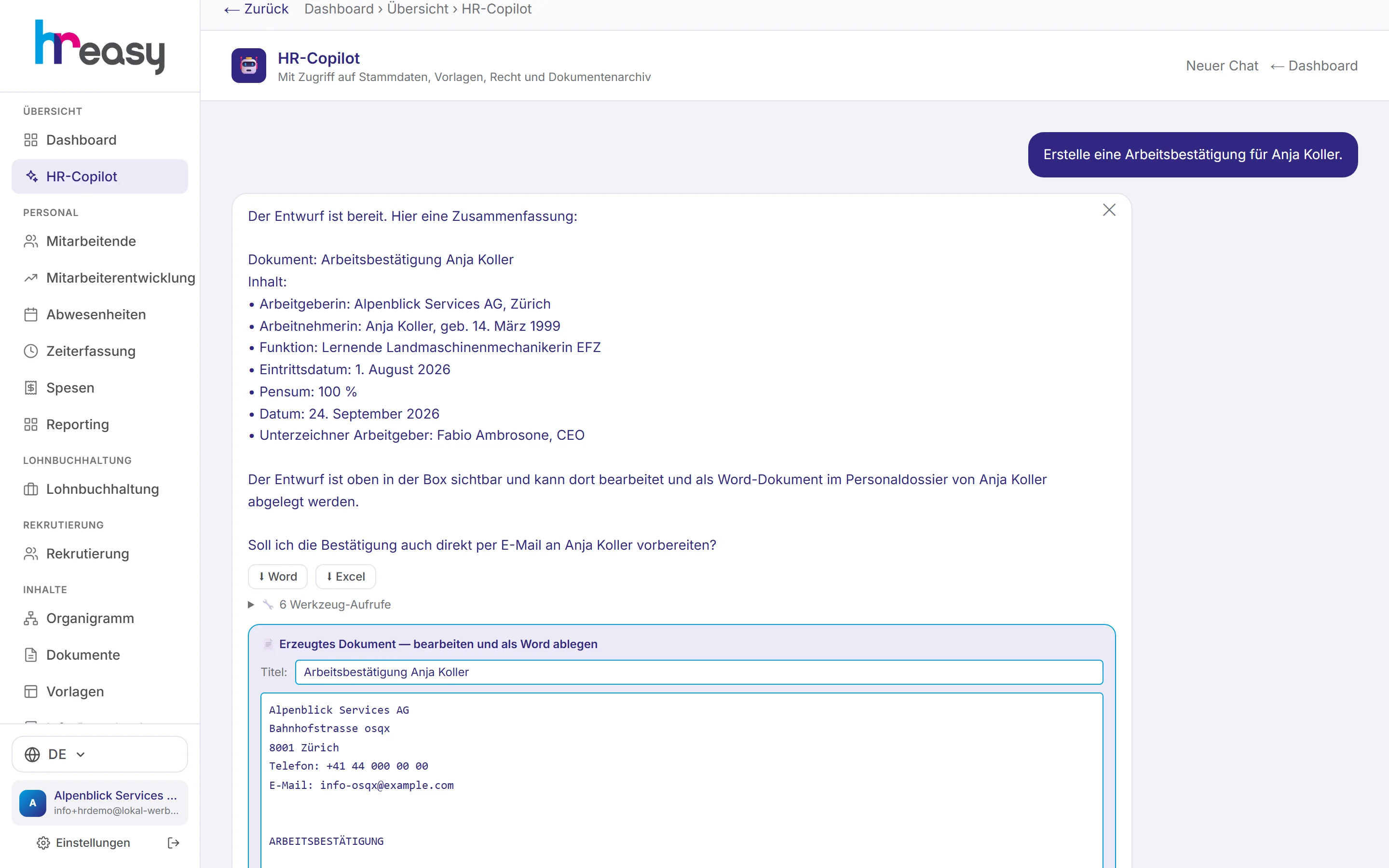
The HR Copilot lets you ask these questions in plain language. It reads your company’s data through defined tools, meaning employees, absences, hours, expenses, documents and regulations, and answers legal questions on the basis of a curated knowledge base. Where you want it to, it also acts: it creates employees, records absences, adds events to the personnel file and writes document drafts. Anything that goes outside the company, such as an email, it only prepares. You do the sending.
Sound familiar?
- For a simple answer on holidays or overtime, you open three different lists.
- Every employment confirmation and every letter starts with hunting down the last template.
- Legal questions lead you to forums whose answers do not fit Swiss law.
- General AI chats do not know your company and invent figures when in doubt.
Questions in plain language, answered with your data
The Copilot accesses your company’s data through its own tools: employees and their history, absences and open requests, time tracking and overtime balance, expenses, documents in the archive, company regulations, pay grades and employee development. It also calculates family allowances by canton and the statutory minimum holiday.
Figures in an answer that do not appear in any tool result are marked as «not supported». Links to non-official sources are removed by the system before you see the answer.
- Company regulations before the law: for holidays, notice or expenses it checks your regulations first
- Full-text search across the documents in the archive
- Location restrictions also apply in the chat: restricted roles only see their own scope
- As far as possible, the same answer to the same question
From request to finished draft
Say what you need and the Copilot creates it: an employment contract from your template, an employment confirmation, a freely written letter. It inserts real company and personal data and adds signature blocks for both parties. The result is always an editable draft; it only lands in the personnel file when you click «Als Word ablegen» (file as Word).
It also gets to work in the system itself: creating or updating employees, recording, approving or rejecting an absence, adding an event to the personnel file, creating a project and assigning people.
- Onboarding in one step: contract from template, three checklists, family allowances calculated
- Preview without saving before anything is created
- Emails as drafts only; sent only after your click, from your company sender address
- Every answer downloadable as Word or Excel
Right on the dashboard and in every topic
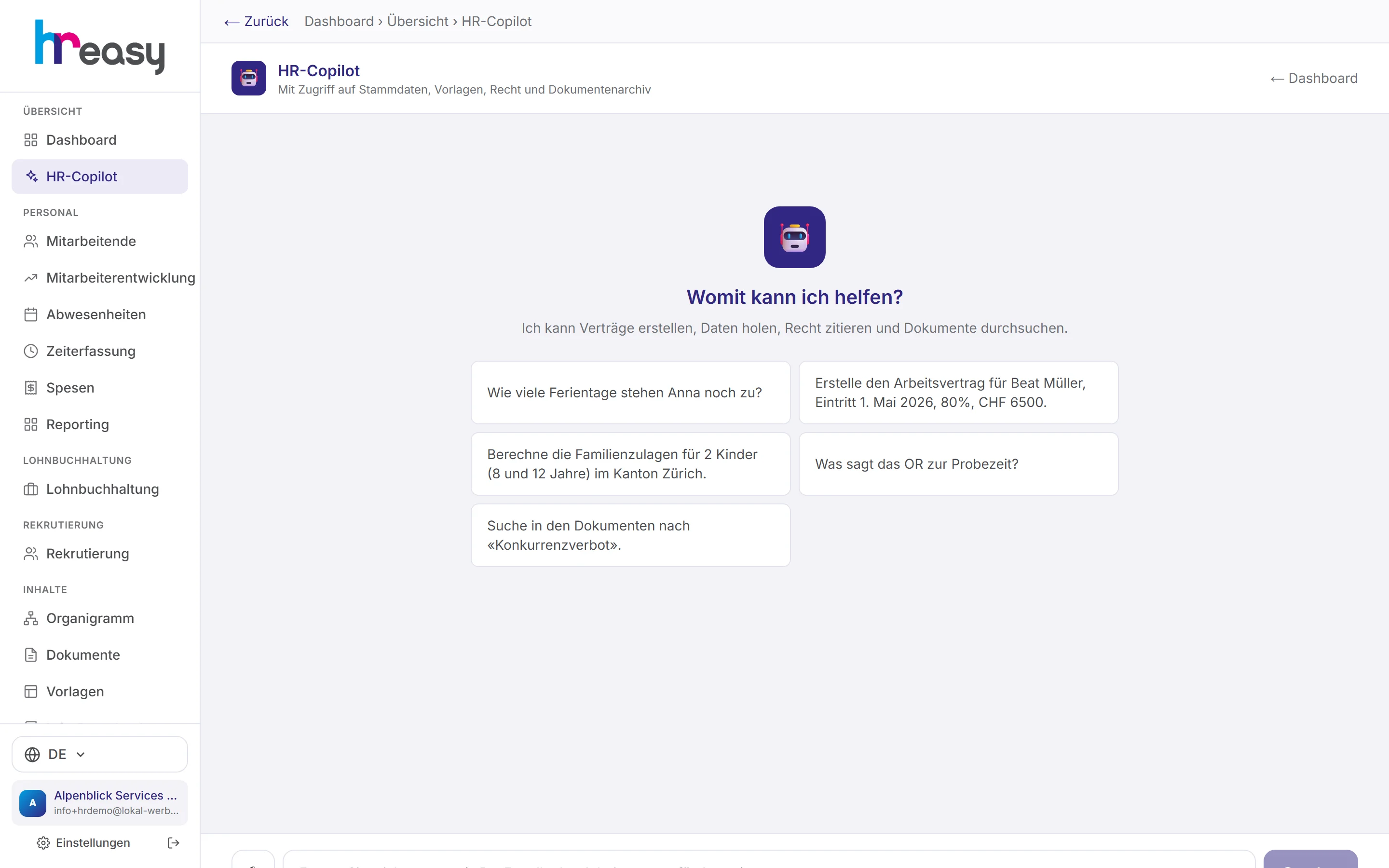
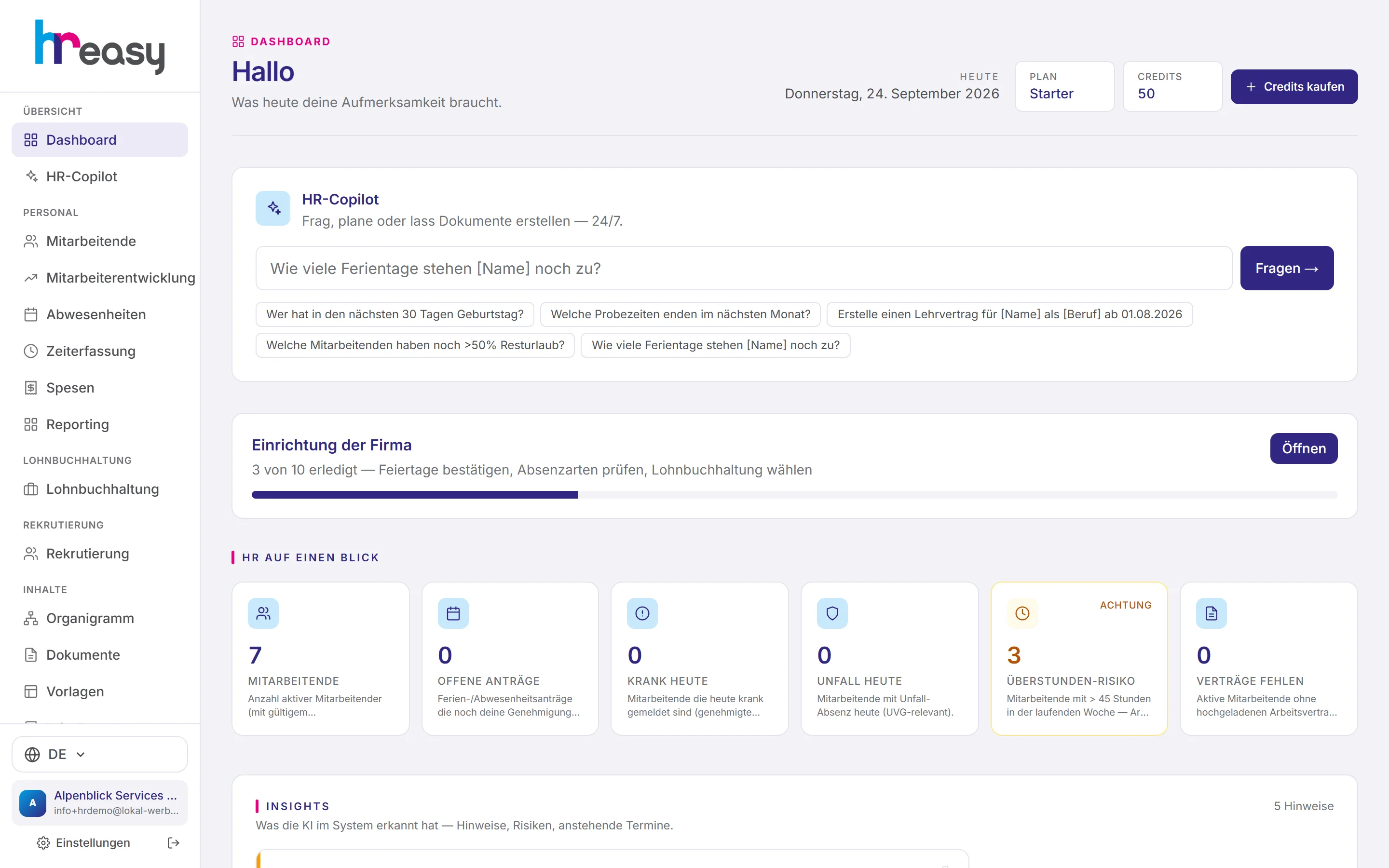
The Copilot has its own page but also sits directly on the dashboard, with example questions such as «Which probation periods end next month?» or «Who still has more than 50 % of their holiday left?». In employee development, each topic has its own Copilot that already knows the selected person.
Using the paperclip, you can attach up to three files, for example an employment contract. The Copilot checks it against the Code of Obligations, the Labour Act and the collective employment agreement, just like the contract check. If the industry is missing, it asks first.
- Document check for PDF, Word and text
- Tasks keep running on the server and can be stopped
- Up to twelve work steps per task
From a sentence to a filed document
The Copilot works in clear steps. Anything with an effect outside the company is always your decision.
Give the task
Ask or instruct in plain language, with an attached file if you like.
Fetch data
Only the fields needed for the purpose, through defined tools and within your permissions.
Check
Regulations before the law, only official sources, unsupported figures are marked.
Show the draft
Answer, document or email as an editable draft, plus Word and Excel export.
File
On your click into the personnel file or, for emails, sent from your sender address.
Everything works together
No module stands alone. What you enter here flows automatically to wherever it is needed, without entering it twice.
What HREasy offers
Reads your company data
Employees, absences, hours, overtime, expenses, documents, regulations, pay grades and development, through defined tools rather than free database queries.
Acts in the system
Creates and updates employees, records and decides on absences, adds events and creates projects, just as you would by hand.
Document drafts
From a template or freely written, with real company data and signature blocks, always as an editable draft.
Email only with your click
The Copilot never sends anything itself. You review, edit or discard; emails go out from your company sender address.
Onboarding on request
Contract from template, checklists for HR, managers and infrastructure, and family allowances in a single task, with preview.
Document check
Up to three attached files are checked against the Code of Obligations, Labour Act and collective agreement, as in the contract check.
Supported figures
Figures without a basis in the retrieved data are marked, invented source links removed.
Purpose-bound access
Only the fields needed for the purpose of each request. Your role’s location restriction applies here too.
Export and background tasks
Answers as Word or Excel; longer tasks keep running on the server and can be cancelled.
What you should know
What never goes to the language model
The Copilot uses Claude from Anthropic. Your data is not used for training. Even so, particularly sensitive details never leave HREasy: AHV number, IBAN and bank, religion, nationality, residence permit, marital status, free-text notes and partner details for family allowances are never shown to the model.
If a document needs such values, the model only writes a placeholder, and the server inserts the real value when the document is created. If you want to see complete personnel data, the Copilot displays it directly from the system, with a note that these values were not transmitted.
What the Copilot deliberately cannot see
Payslips, salary certificates and payroll runs, as well as BVG, withholding tax and UVG data, are out of its reach; it only knows the current salary and the pay bands. Nor does it see work schedules, expense receipts and the limits of the expenses regulations, recruiting or training.
If you ask about these, it says clearly that it cannot retrieve them and tells you where in the product you will find the information. That way every answer stays traceable instead of being a guess.
Your regulations come first
For holidays, notice, expenses or working hours, the Copilot first reads the company regulations you have stored. Only where these are silent does it answer from the law, based on the fixed core articles of the knowledge base.
This avoids the most common source of error in general AI chats: correct information about the law that is still wrong for your company because your regulations or collective agreement grant more.
Limits, stated honestly
The Copilot does not replace legal advice. Its legal information is for orientation; in sensitive cases such as protection against dismissal or pay disputes, it recommends a specialist or the cantonal labour inspectorate.
And it decides nothing you cannot see: documents remain drafts until they are filed, emails until they are sent, and onboardings can be viewed as a preview first.
Frequently asked questions
Which AI is behind the Copilot?
Claude from Anthropic. Your data is not used to train the model, and particularly sensitive fields are not transmitted at all.
Can the Copilot change something without my knowledge?
It only carries out what you ask and shows you the result. Documents remain drafts until you file them; emails are only sent after you click «Senden» (send).
Does the Copilot see all employees?
Only those your role is allowed to see. If your account is restricted to a location or an organisational unit, that also applies in the chat.
Can I upload a contract for review?
Yes, up to three files (PDF, Word, text) via the paperclip. The Copilot checks them against the Code of Obligations, Labour Act and collective agreement, and asks for the industry if it is missing.
What happens if I leave the page?
The task keeps running on the server. When you return you will see the result, or you can cancel it with «Stoppen» (stop).
Is this legal advice?
No. The information is for general orientation and does not replace binding legal or HR advice.
More modules
Ready to automate hr copilot?
Set up in 5 minutes, no HR knowledge needed. The agent takes care of the rest.
Request trial access now