Documents & regulations
An archive with folders, tags, permissions and versions. The AI checks regulations against the CO and CEA, and everything HREasy creates is filed automatically.
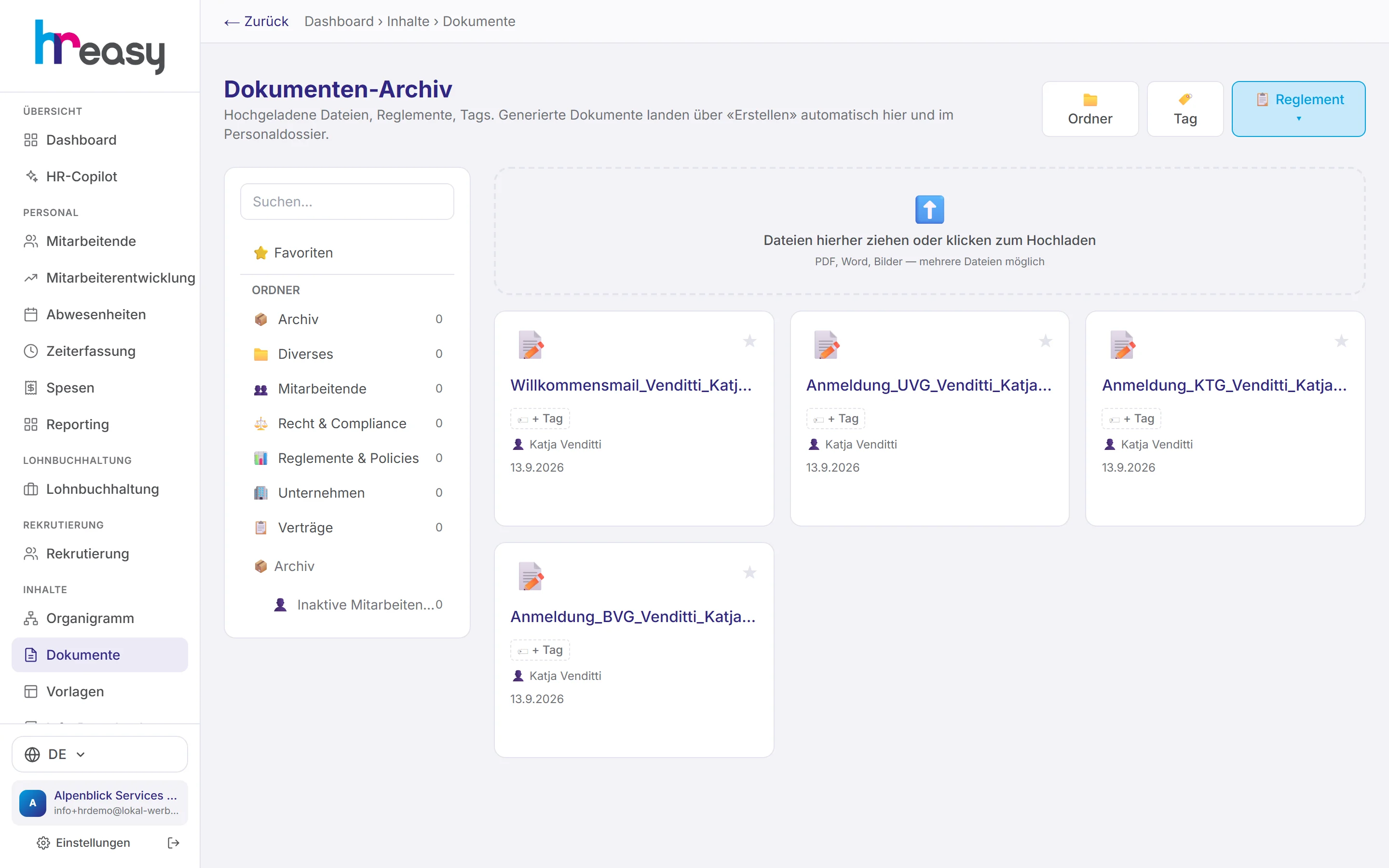
HR documents are created everywhere: in the mail client, in Word, on the scanner. In the end nobody knows which version of the expenses policy applies or where last year's signed contract is.
HREasy's document archive collects everything in one place, with folders, tags and permissions per folder. Whatever HREasy creates itself, from the contract and the reference letter to the payslip, it files automatically. Regulations you upload are checked by the AI in the background against the CO and CEA and later used for its suggestions.
Sound familiar?
- The current regulations are somewhere, but three older versions are quicker to find.
- Everyone on the team has access to everything, including documents not meant for everyone.
- Letters you created stay in the downloads folder instead of the personnel file.
- Nobody has checked for years whether the regulations still comply with the law.
Folders, tags and drag-and-drop upload
The standard folders are employees, contracts, company, regulations & policies, legal & compliance, miscellaneous and the archive with its sub-folder for inactive employees. Your own folders and favourites come on top.
You drag PDF, Word or image files into the window, several at once if you like, and assign tags for filtering later.
- Permissions per folder by role or individual person
- Accounts with a location restriction are shielded on the server
- Preview with version list and upload of a new version
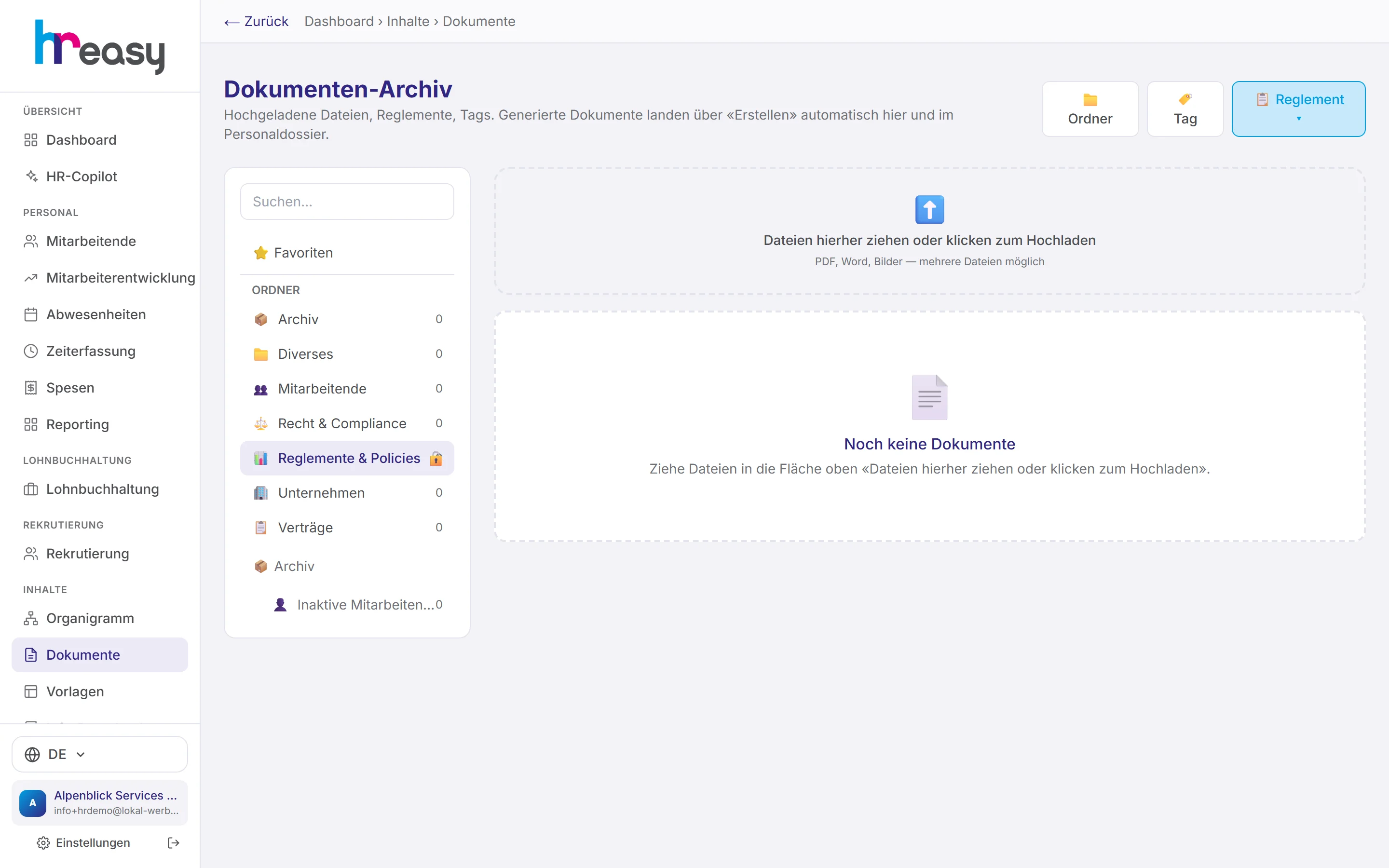
Upload your regulations, the AI checks them against the CO and CEA
Use «Reglement» to upload expenses, overtime, working time or absence regulations. They are saved in the regulations & policies folder, and the AI checks them in the background against the CO and your industry's CEA.
Violations and recommendations are then recorded on the document. Uploaded regulations also feed into later suggestions, for example in the hiring assistant or the Copilot.
- Types: expenses, overtime, working time, absence management or free form
- For the Copilot and the employee AI, your regulations take precedence over the law
- Employees read the regulations in the portal and confirm they have taken note
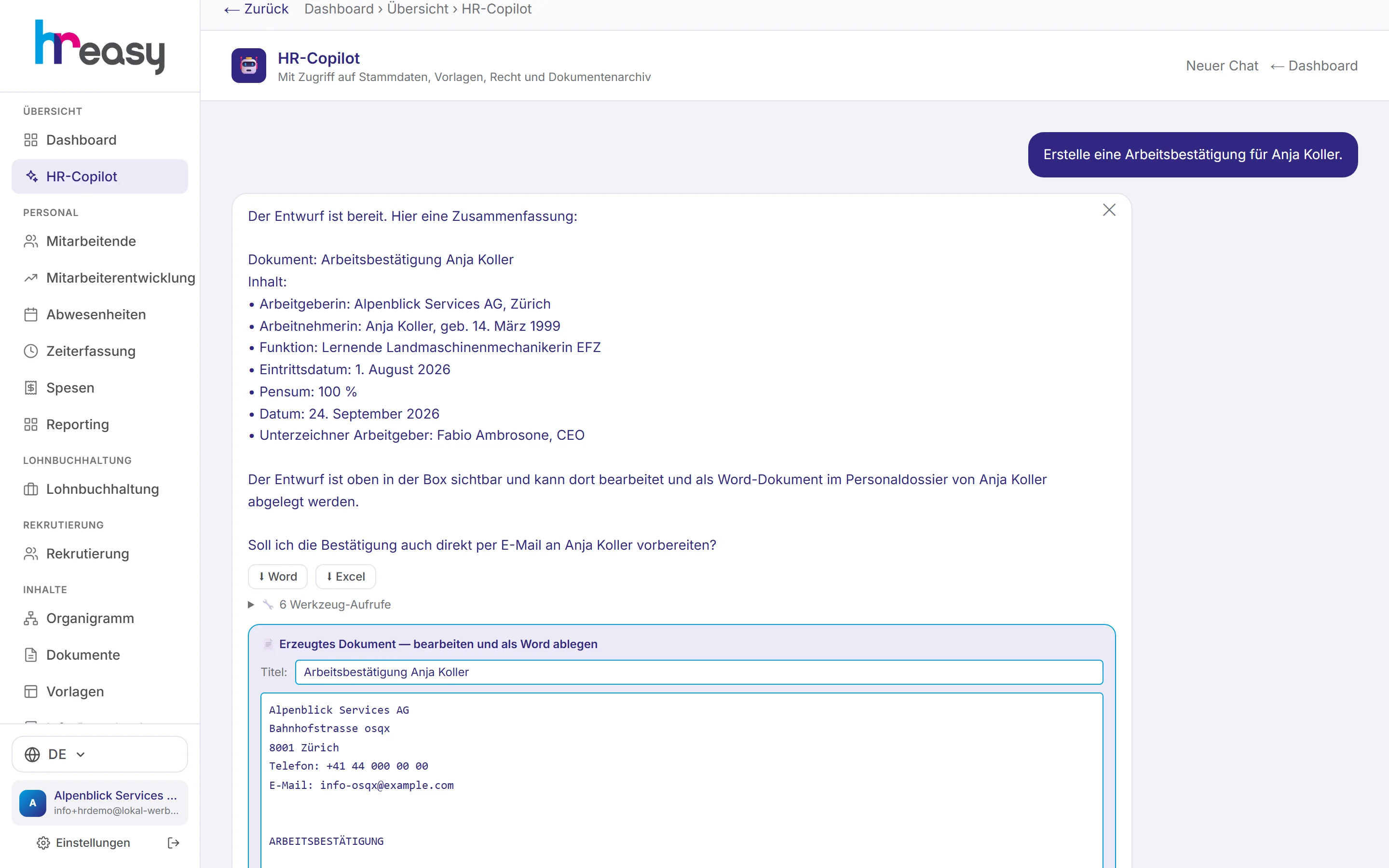
Whatever HREasy creates ends up in the right place on its own
Employment contracts, contract amendments, salary letters, warnings, training agreements, reference letters and employment confirmations are created as drafts in the personnel file or in the Copilot. After editing, you save them as Word.
Payslips, expense receipts and development reports are also archived automatically and appear in the person's personnel file.
- Word with company letterhead
- Shown chronologically in the personnel file with all other documents
- Employees see their own documents in the portal
From upload to checked version
A document is filed once and is then visible to everyone who is allowed to see it.
Upload
Drag and drop into the right folder, several files at once if needed.
Permissions
Share folders with roles or individual people, assign tags.
Check
The AI checks regulations against the CO and CEA and records violations on the document.
Update
Upload a new version; the old one stays in the version list.
Use
Regulations feed into the AI's suggestions and into the employee portal.
Everything works together
No module stands alone. What you enter here flows automatically to wherever it is needed, without entering it twice.
What HREasy offers
Standard folders
Employees, contracts, company, regulations & policies, legal & compliance, miscellaneous and archive, plus your own folders.
Permissions
Each folder can be limited to roles or individual employees.
Tags and favourites
Create and assign tags and filter by them; mark important documents as favourites.
Versions
A new version does not replace the old one, it goes in front of it. Earlier versions remain readable.
Regulations check
The AI checks uploaded regulations against the CO and CEA and saves violations and recommendations on the document.
Automatic filing
Contracts, letters, reference letters, payslips and receipts are filed by HREasy itself.
Document check
Have employment contracts, terminations, regulations or reference letters checked against the CO, Labour Act, CEA and cantonal minimum wages.
Inactive employees
When a person is archived, their documents move into a folder of their own.
Encrypted file names
File names of personnel file documents are stored encrypted, because a name alone can reveal a lot.
What you should know
Regulations before the law
Your staff regulations often go into more detail than the CO: expense rates, overtime compensation, notice periods. That is why the Copilot looks at your regulations first for questions on these topics and only then at the law, and the employee AI in the portal does the same.
For this to work, the regulations must be in the archive, and in the version that applies. The version list shows which one that is.
One document, two views
In the archive you organise documents by topic. In a person's personnel file you see the same documents in chronological order, together with everything that was created from events.
In the portal, employees only see what is meant for them: their own documents and the regulations that have been released.
Frequently asked questions
Which file formats can I store?
PDF, Word and images, including several files at once by drag & drop.
Can I restrict who sees a folder?
Yes, per folder by role or individual employee. Accounts with a location restriction are additionally shielded on the server.
What does the AI check in a set of regulations?
It compares them with the CO and your industry's CEA and records violations and recommendations on the document. What you change remains your decision.
Is the old version lost when I upload a new one?
No. Every version is kept in the version list.
Do employees see their documents?
Yes, in the portal under «Meine Dokumente» (my documents). They read regulations under «Reglemente» and confirm there that they have taken note.
More modules
Ready to automate documents?
Set up in 5 minutes, no HR knowledge needed. The agent takes care of the rest.
Request trial access now