Employee portal & app
Clock in, request holidays, report sickness, photograph expense receipts, fetch payslips: employees take care of their own matters.
A large part of HR work is answering questions: How many holiday days do I have left? Where is my payslip? Who do I send the medical certificate to? Each of these questions costs both sides time.
With the employee portal and the HREasy app, employees handle such matters themselves. They clock their working time, request holidays, report sickness or accidents, photograph expense receipts and fetch payslips and documents. Everything lands directly in the right module in administration, without paper slips and without email ping-pong.
Sound familiar?
- Employees ask about their holiday balance three times a month.
- Expense receipts arrive crumpled and weeks late.
- Sick notes arrive by text message, the medical certificate at some point by post.
- Payslips are printed, handed out and get lost.
Everything of your own on one page
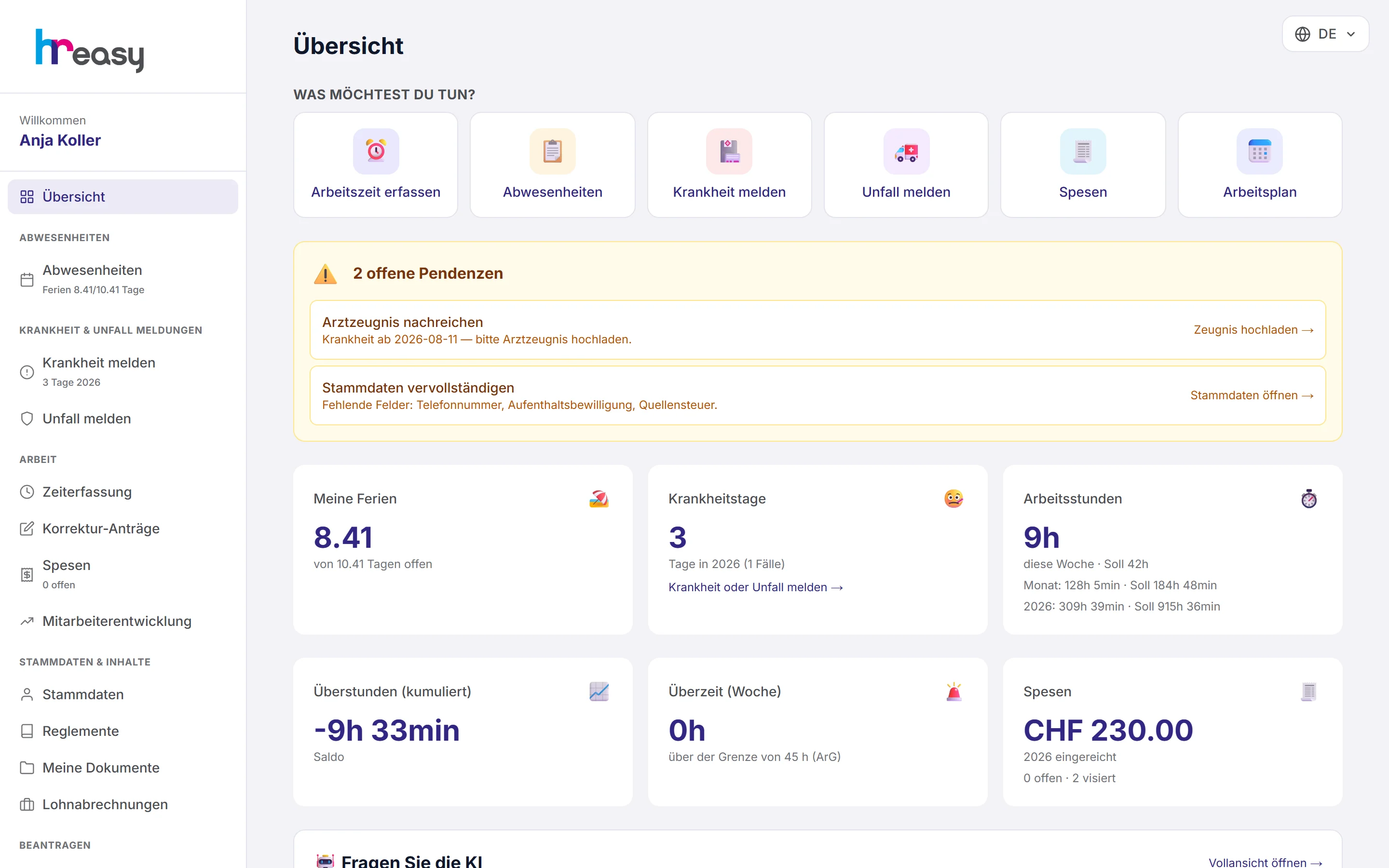
The overview in the portal brings the quick links together: record working time, absences, report sickness, report an accident, expenses and work schedule. Below are tiles with holidays, sick days, working hours, overtime, excess hours and expenses.
Open tasks appear as a banner, for example a medical certificate still missing or incomplete master data.
- Requests for training, interim reference, employment confirmation and family allowances
- Read regulations and confirm having taken note
- Enter your own master data and children yourself
Clock in where the work happens
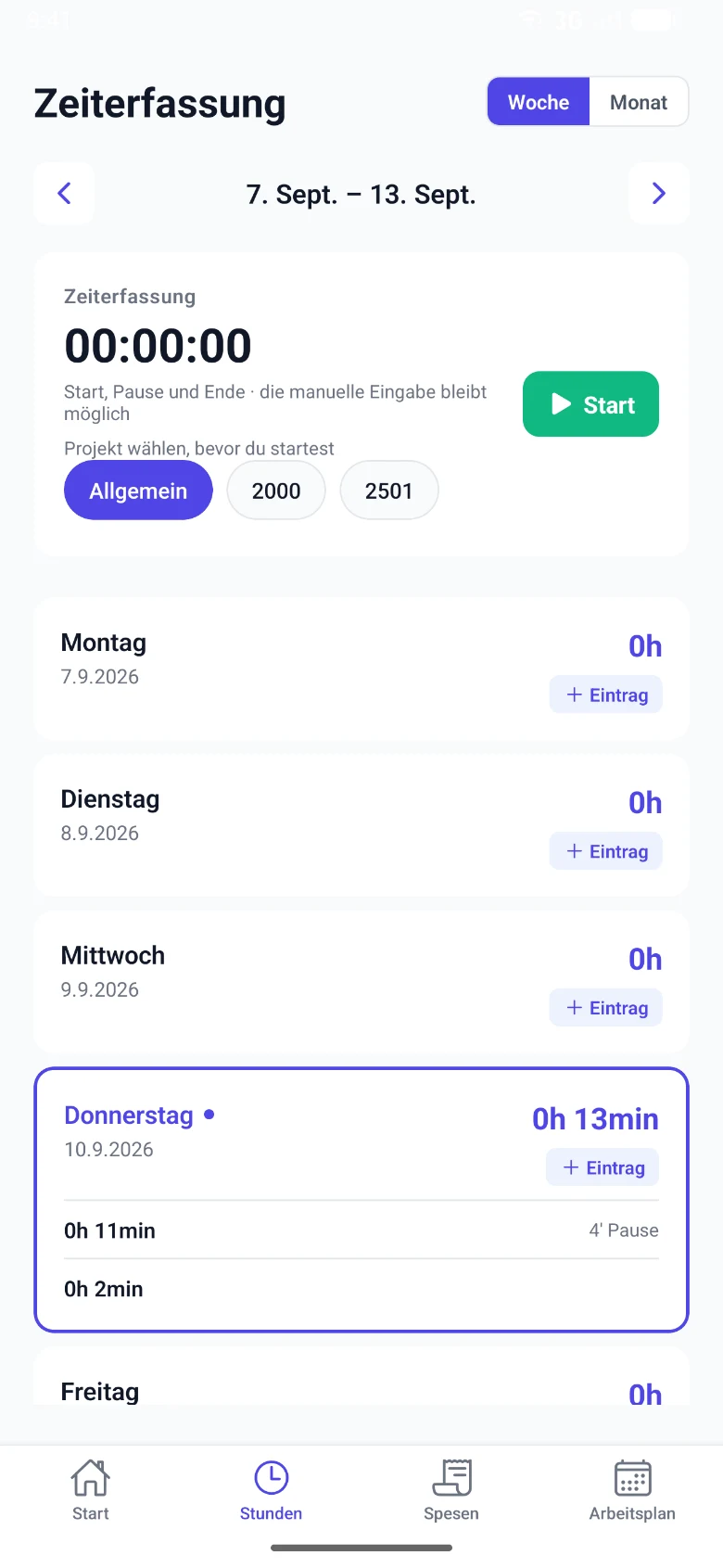
In the app, employees start the timer with a single tap after choosing the project. The timer is synchronised with the server and keeps running even when the app is closed.
Adding entries later is just as quick: tap the day, enter project, working time and break. The mandatory break is shown straight away.
- Four tabs: start, hours, expenses, work schedule
- No time tracking on holidays
- Request absences using your company’s absence types
Photograph the receipt, done
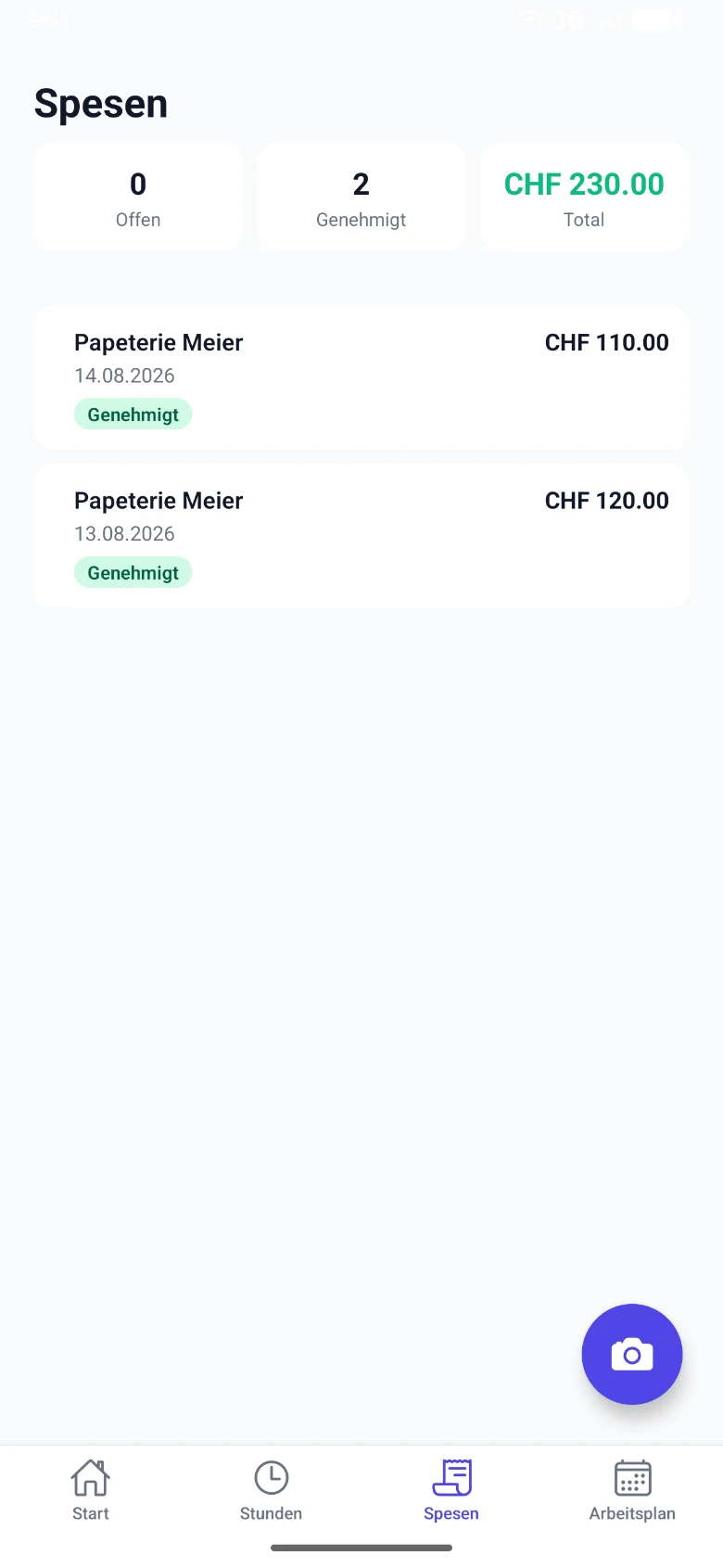
Employees record expenses directly with the camera or from the gallery. Text recognition reads the amount and other details from the receipt, and the expenses regulations with their limits are visible right away.
They can see the status of each submission in the list: open, approved or rejected, with the total amount.
- Camera or gallery
- Limits from the expenses regulations visible
Payslips and documents, available at any time
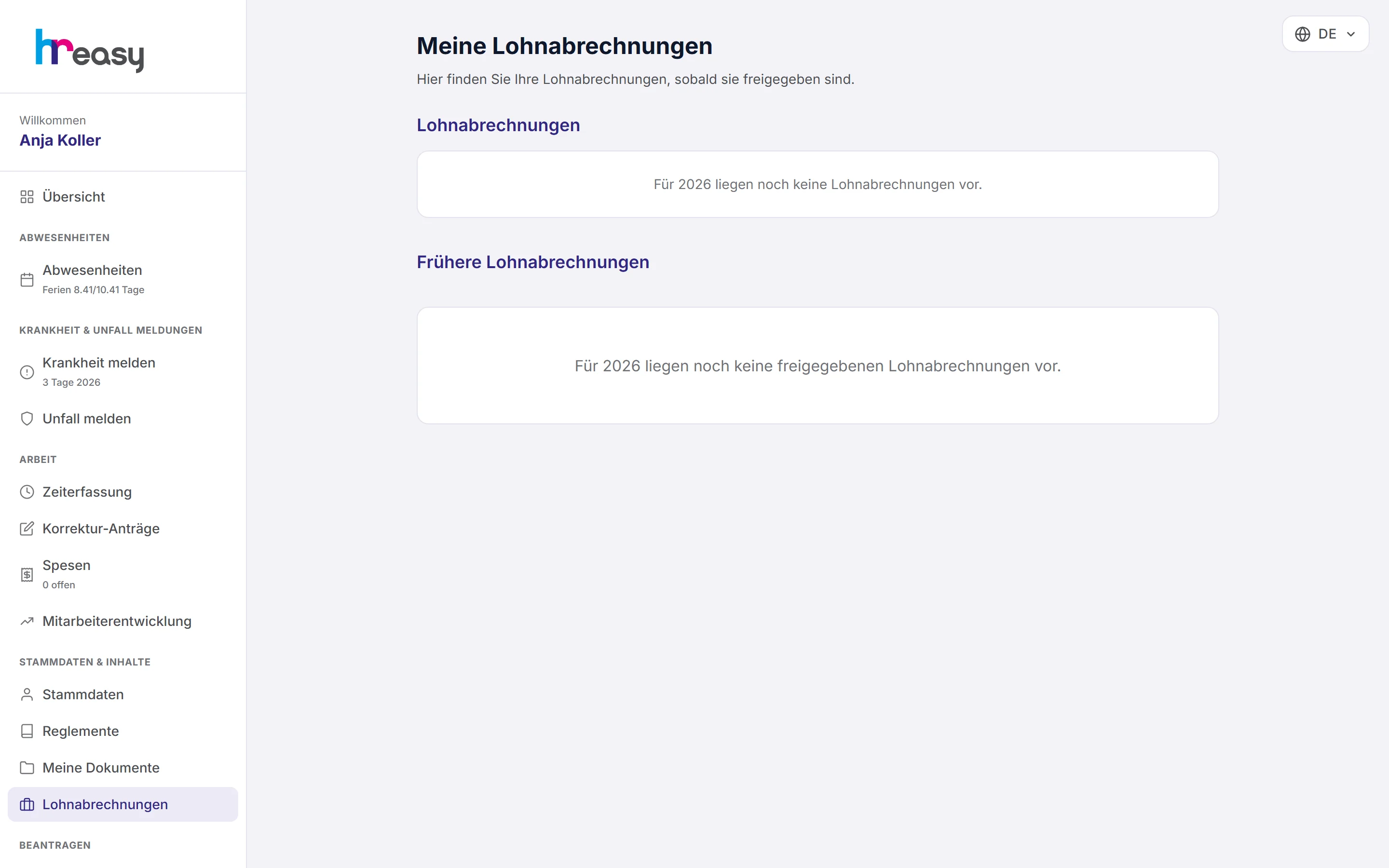
In the web portal, employees find their payslips as PDF as soon as the payroll run is approved, together with all their own documents such as contracts or confirmations.
Under «Frag die KI» (ask the AI), an assistant answers questions on sickness, accidents, holidays, overtime and allowances, based first on your company’s regulations. It knows the person’s own balances but never sees colleagues’ data.
- PDF download of every payslip
- Salary, AHV number and bank details do not go to the AI
- Payslips, documents and the AI chat are available in the web portal
From request to answer
Taking a holiday request as an example: the employee taps, administration decides, the balance is right.
Request
In the portal or the app, choose the period and absence type and submit.
Arrive
The request appears in administration, with an email to the responsible person if desired.
Decide
Approve or reject with a reason, with a check of the holiday balance.
Schedule
Approved days appear in the calendar and block the day for time entries.
Balance is right
The new holiday balance is immediately visible in the portal and the app.
Everything works together
No module stands alone. What you enter here flows automatically to wherever it is needed, without entering it twice.
What HREasy offers
Timer with project
Clock in and out with a single tap, with project and workplace selectable before starting, in the portal and the app.
Holidays and absences
Requests with public holidays in view, compensation via a tick box; submitted requests can be edited.
Sickness and accidents
Dedicated forms in the web portal, with incapacity for work as a percentage and upload of the medical certificate.
Expenses by photo
Photograph the receipt, text recognition fills in the details, limits from the regulations are visible.
Payslips
As PDF in the web portal, as soon as the payroll run is approved.
Requests
Training, interim reference, employment confirmation and family allowances, each with file upload.
Ask the AI
Answers on sickness, holidays, overtime, allowances, the Code of Obligations and collective agreements, based first on your company’s regulations.
Employee development
Fill in self-evaluation, goals, competencies and assessments in the web portal.
Four languages
German, English, French and Italian, selectable per person.
What you should know
Portal and app: what works where
The app for iPhone and Android focuses on what matters on the move: clocking and adding hours, photographing expenses, viewing the work schedule and requesting absences.
The web portal can also do everything else: report sickness and accidents with dedicated forms, fetch payslips and documents, submit requests, confirm regulations, fill in employee development and ask the AI.
Everyone only sees themselves
A portal account belongs to exactly one person and only shows their own data: balances, hours, expenses, payslips. The AI in the portal, too, only knows the person’s own balances and does not see colleagues.
The employer creates the access in the personnel record. Employees can additionally protect it in the portal with two-factor authentication.
Frequently asked questions
Do employees need the app?
No. Everything also works in the web portal in the browser. The app is handy for clocking in and for expenses on the move.
Who sets up access?
The employer, in the personnel record under «Mobile App / Portal Zugang» (mobile app / portal access). Without this access, neither the portal nor the app can be used.
Can employees see their colleagues’ data?
No. Each person sees only their own details.
Where do I find my payslip?
In the web portal under «Lohnabrechnungen» (payslips), as a PDF, as soon as the payroll run is approved.
In which languages are the portal and app available?
German, English, French and Italian.
Can I report sickness via the app?
In the app via an absence request, provided your company uses that absence type. The full sick note with medical certificate and the accident report are available in the web portal.
More modules
Ready to automate employee app?
Set up in 5 minutes, no HR knowledge needed. The agent takes care of the rest.
Request trial access now